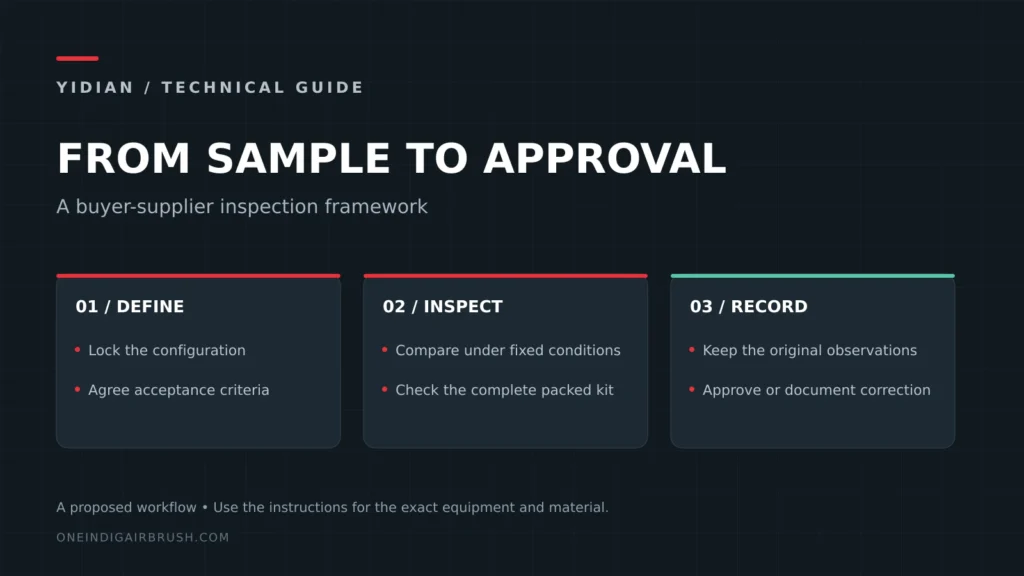
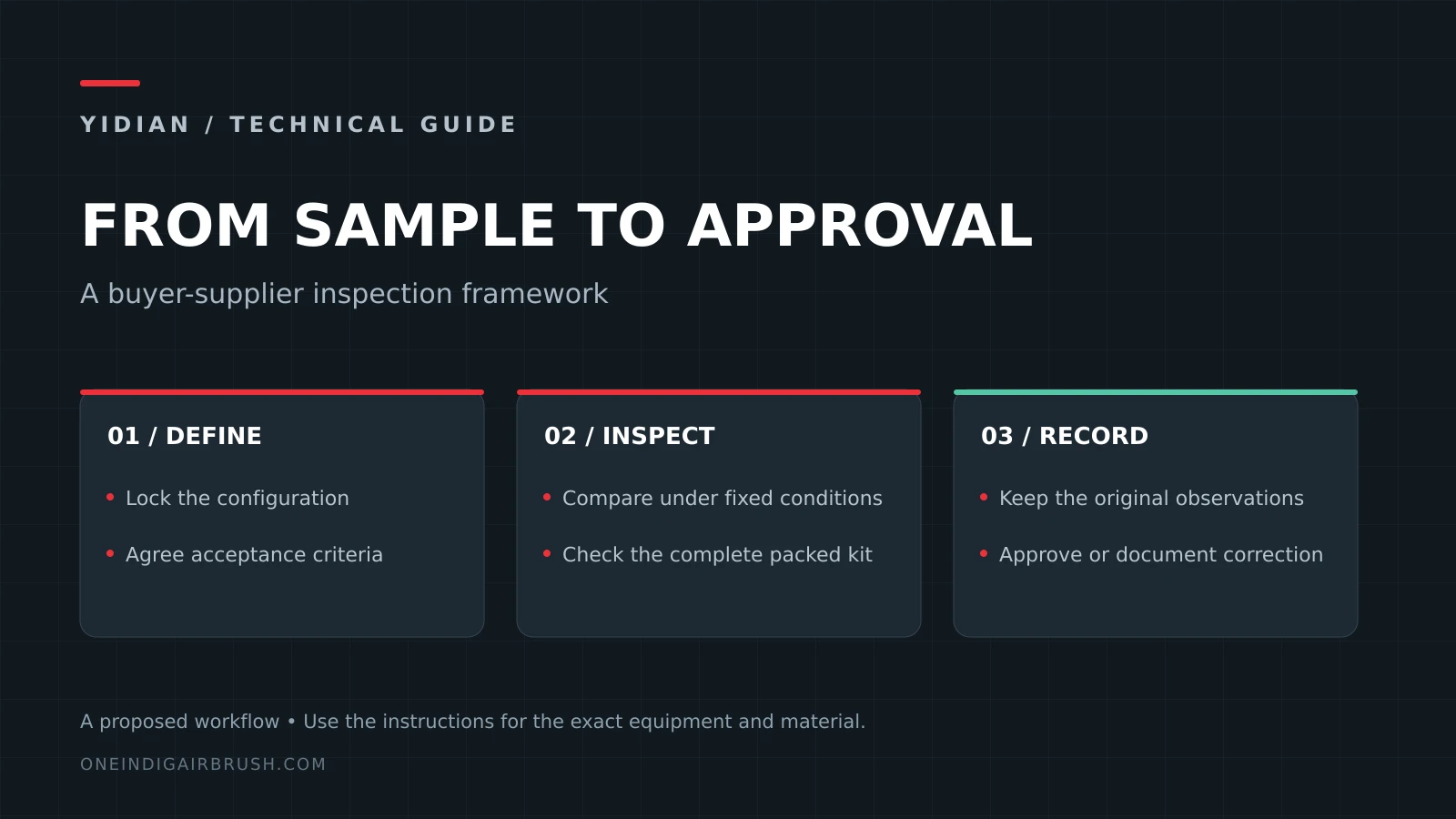
An airbrush sample approval process turns a buyer’s sample comments into a controlled release file. It connects the physical airbrush, nozzle or head setup, accessories, packaging, spray-card evidence and open commercial decisions before a quotation or pilot order is treated as production-ready.
This guide is for importers, distributors and private-label teams that need a practical way to approve an airbrush sample without turning a loose email thread into a production instruction. It does not certify a product, prove that a specific batch passed inspection, or replace destination-market requirements. Use it to structure the questions and evidence that YIDIAN can review for an OEM or private-label project.
A sample approval file can confirm what the buyer has reviewed. MOQ, unit price, tooling, lead time, certification, artwork ownership and order terms still need product-specific confirmation before they become commercial commitments.
Define what the sample is supposed to approve
Start by naming the decision. A buyer may be approving a standard airbrush model, a nozzle range, a logo location, a retail box, a complete kit, a spare-parts set or only a visual direction. Each path requires different evidence. A vague request to approve “the sample” can release the wrong thing.
| Approval type | What it should confirm | What it should not imply |
|---|---|---|
| Functional sample | Model, feed type, needle/nozzle/head set, trigger behavior and spray observation. | Retail packaging, artwork, final MOQ or destination compliance. |
| Marked sample | Logo position, marking method, color reference and surface location. | Full product approval if spray evidence is still open. |
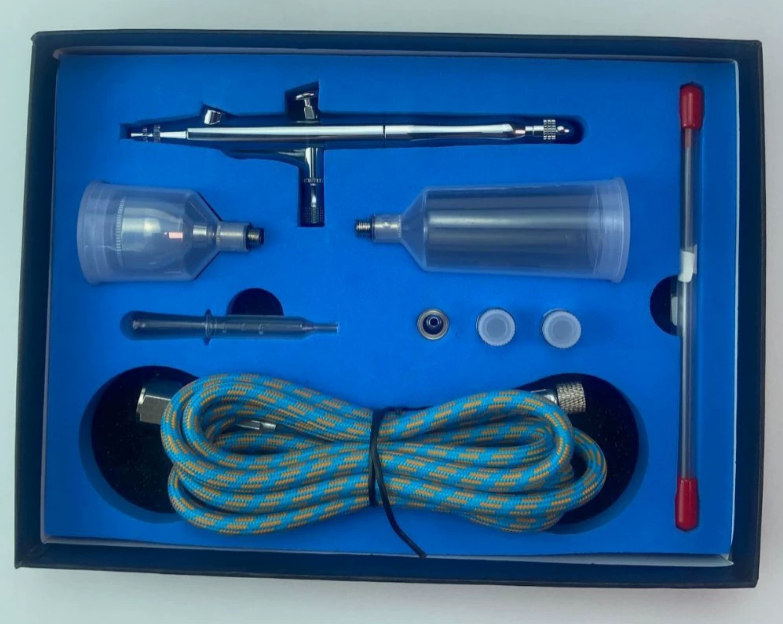
| Packed sample | Component count, insert, manual, barcode, carton mark and protection method. | That every accessory was functionally validated. |
| Complete-kit sample | Airbrush, hose, connector, mini compressor, filter and support items working as a system. | That each optional market version is approved. |
| Revision sample | The changed part, artwork, package or process and the reason for review. | That older retained samples remain valid. |
If the project is still at supplier-screening stage, pair this workflow with the OEM airbrush manufacturer audit guide. If the buyer is building a brand program, use the private-label airbrush checklist before a printed box or manual is approved.
Build a sample identity file before judging the result
A sample can only be approved if it can be identified later. The identity file should connect the physical item to the documents and conditions used for review. Keep the fields factual; if a field is unknown, mark it as open instead of guessing.
- Sample ID, date received, buyer project name and supplier reference.
- Airbrush model, feed type, nozzle or head configuration and retained sample location.
- Accessory list, hose or connector details, compressor pairing where relevant and package condition.
- Artwork, label, instruction, barcode or carton revision if packaging is included.
- Spray-card sequence, test liquid or coating, pressure under flow, distance and cleaning state.
- Reviewer, decision owner, open conditions and requested next action.
The airbrush quality control checklist includes a blank inspection workbook for recording sample identity and observations. A blank checklist is only a planning tool; it is not proof that a sample passed.
Use a staged approval workflow
A sample approval workflow should move from brief to evidence to decision. Skipping the middle step creates weak RFQs because a later price may be compared against a sample that was never clearly released.
| Stage | Buyer action | Supplier response needed |
|---|---|---|
| 1. Buyer brief | State the application, channel, sample purpose, configuration target and open decisions. | Confirm whether the request is standard, OEM, private-label, kit or revision work. |
| 2. Sample preparation | Agree what the sample is meant to represent and which documents travel with it. | Identify the model, accessory set, artwork or package revision supplied for review. |
| 3. Evidence review | Record spray behavior, handling, package, accessory and defect observations. | Answer deviations with correction, replacement, retest, hold or clarification. |
| 4. Release decision | Accept, conditionally accept, request revision or reject for the defined approval type. | Connect the decision to the next quote, pilot order or sample revision. |
| 5. Production handoff | Keep the approved sample ID and open conditions with the RFQ or order file. | Use the same revision in quotation, BOM, inspection and packing records. |
For quote readiness, connect the approval stage to the airbrush OEM MOQ guide. Sample quantity, pilot order and production MOQ should remain separate until the configuration and approval scope are clear.
Separate first result, retest and revision
A common approval mistake is replacing the first failed observation with a later passing result. Keep them separate. The first result shows the received condition. A retest shows what changed after cleaning, adjustment, pressure change or replacement. A revision sample shows a new physical or document version.
| Record | When to use it | Why it matters |
|---|---|---|
| First-condition card | When the buyer first evaluates the sample. | Preserves the delivered condition before adjustment. |
| Retest card | After allowed cleaning, setup correction or supplier instruction. | Shows whether the issue was setup-related or persistent. |
| Revision card | After a component, artwork, packing or process change. | Prevents old evidence from approving a changed sample. |
| Disposition note | When the buyer accepts, holds, rejects or asks for another sample. | Turns observations into a clear next action. |
For fault-specific evidence, use the troubleshooting resources instead of a broad rejection label: no paint flow, repeated clogging, pulsing or spitting. Those pages help identify what to record before asking for replacement parts or a revised sample.
Approve the golden sample with conditions visible
A golden sample is useful only when it is tied to a version and a release decision. Keep it with its accessory list, packaging file, artwork revision and spray evidence. If the buyer approves the finish but not the spray result, the decision should say so. If the buyer approves a packed sample but the compressor plug or market label is unresolved, leave that condition visible.
Open conditions are normal during OEM work. Hiding them inside a broad approval note creates more risk than listing them plainly.
Use a simple status set:
- Accepted: the defined approval type is released for the next stage.
- Conditionally accepted: the sample can move forward only with listed corrections or confirmations.
- Revision requested: a new sample or document revision is needed before release.
- Rejected or held: the sample is not suitable for the next stage until the issue is resolved.
Check packaging and kit approval separately
Packaging approval is often mixed with product approval. Keep them distinct. A printed box may be visually accepted while the functional sample still needs a spray retest. A complete kit may have a correct airbrush but an incomplete hose, connector, cleaning tool or manual set.
For kit projects, review the complete airbrush kit supplier guide and the mini air compressor selection guide. Compressor version, plug, voltage, hose fitting and market instructions should not be assumed from a single packed sample.
| Kit approval item | Evidence to keep | Open question to flag |
|---|---|---|
| Airbrush and head setup | Model reference, head configuration and spray card. | Does the same setup apply to all variants? |
| Compressor pairing | Selected compressor version, hose, connector and working setup. | Which destination market and plug condition apply? |
| Accessory count | Packed sample photo and component list. | Are spare parts, cleaning tools and adapters final? |
| Retail package | Artwork revision, insert, manual, barcode and carton mark. | Which language, label or compliance review remains open? |
Use the approval file in the RFQ handoff
The sample approval file should not sit apart from the quotation. It should tell the supplier which physical sample is approved, which scope is still open and what the buyer expects in the next commercial response. This is especially important when comparing suppliers because one quote may include packaging, inspection and service parts while another covers only a standard airbrush.
For distributor planning, connect the sample file to the airbrush wholesale supplier buying guide. For spare-parts approval, add model-specific evidence from the needle and nozzle compatibility guide.
Connect catalogue sample selection to the approval file
After the WooCommerce catalogue switch, a buyer may begin with a product page or a cart item. That creates a useful reference point, but it does not approve the sample by itself. The approval file should state which catalogue item was used, which configuration was actually reviewed and which open questions still require a supplier answer.
| Catalogue reference | Approval file field | Why it prevents confusion |
|---|---|---|
| Product URL and model name | Sample identity and selected product family. | Separates an online listing from the physical sample that was reviewed. |
| Cart or checkout note | Sample purpose, accessory scope and requested next step. | Prevents a cart item from being read as a production MOQ or final quotation. |
| Package or kit expectation | Packed sample sign-off status and unresolved components. | Shows whether packaging, hose, connector, manual or compressor pairing remains open. |
| Manual supplier reply | RFQ handoff note, conditions and revision owner. | Keeps price, lead time, freight and payment out of the approval record until confirmed. |
Use an airbrush sample approval before purchase order checkpoint when the buyer has chosen a product page but has not released the sample for a pilot or production order. An airbrush packed sample sign off should be limited to the package and component evidence actually reviewed. The airbrush sample approval RFQ handoff then carries accepted evidence, revision notes and open commercial items into the quotation conversation.
Sample approval questions to send with an OEM inquiry
- Which airbrush model, application or product family is the sample meant to approve?
- Is the review for function, logo, color, packaging, complete kit, spare parts or a revision?
- Which sample ID, nozzle or head setup, accessory list and package revision should be treated as reference?
- Which spray-card conditions, cleaning state and pressure under flow were used during review?
- What was accepted, conditionally accepted, rejected or still open?
- Does the next step need another sample, a quote, a pilot order or a production file update?
- Which MOQ, price, lead-time, compliance or artwork ownership questions remain unconfirmed?
Send a sample-ready project brief
YIDIAN can review OEM, private-label, wholesale and complete-kit sample requests when the approval scope is clear enough for a useful reply. Send the model or product family, sample purpose, approval stage, accessory or packaging scope, destination market and unresolved questions. Leave unknown items open instead of turning them into commitments.
Related buyer resources: sample QC checklist, OEM factory audit guide, private-label checklist, OEM MOQ guide, complete kit guide and wholesale supplier guide.